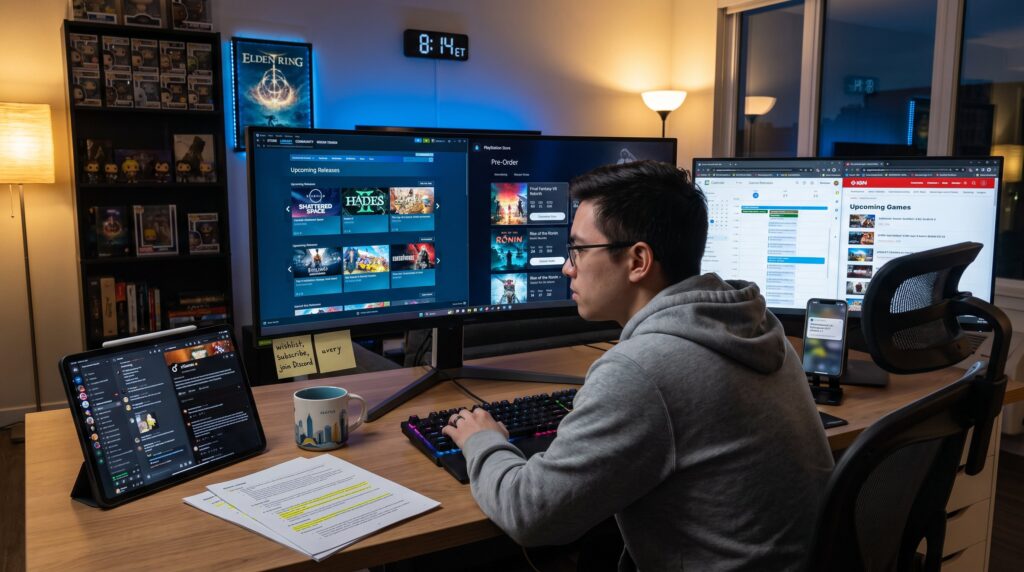
Where To Find New Game Releases And Updates starts as a promise: players who want to be first need reliable feeds. This guide shows where to spot launches, delays, and meaningful patches across PC, console, and mobile. It focuses on official storefronts, news aggregators, developer channels, and social streams, the same sources pro players and community managers use. Read on to learn exact places to watch, how to parse notes, and how to set up alerts that catch the next big meta shift before your squad does.
Key Takeaways
- Official game stores like Steam and PlayStation Store provide the earliest and most reliable information on new game releases and updates.
- Use gaming news sites and release calendars to track multiple upcoming launches and schedule changes in one place efficiently.
- Developer channels and community hubs offer detailed patch notes and real-time player feedback crucial for understanding update impacts.
- Reading patch notes carefully helps identify major content, balance changes, or bug fixes to adjust gameplay strategies accordingly.
- Following social media, influencers, and live streams gives early access to patch highlights and real-world effects of updates.
- Combine store alerts, news calendars, developer feeds, and social streams into a routine to stay ahead of new game releases and meta shifts effectively.
Official Game Stores, Launch Pages, And Digital Marketplaces
Official stores give the earliest, most reliable signals about releases and updates. Steam, PlayStation Store, Microsoft Store/Xbox, Nintendo eShop, Epic Games Store, GOG, Apple’s App Store and Google Play list launch dates, preorders, and version histories that show when a build changed. For example, Steam’s “Upcoming” and the PlayStation Store’s pre-order pages include exact release countdowns and region windows, which helps players plan preloads and tournament practice.
How to use them quickly: follow a game’s store page, enable wishlist notifications, and check the “news” or “updates” tab inside the store client. Third‑party trackers like SteamDB provide build timestamps that often precede public announcements: that’s useful for PC players who want to spot hidden hotfixes. For console and mobile dev notes, the store’s changelog and the game’s official launch page remain primary sources.
For a broader site overview and how these sources fit into a reading routine, players can consult a short site overview. This anchors where stores fit inside a full gaming information stack.
Gaming News Sites, Aggregators, And Release Calendars
Top gaming outlets and calendar sites pull multiple signals into one place, making it faster to scan dozens of releases. Sites like IGN maintain release-trackers that list launch windows, platforms, and short descriptions: these pages help confirm dates when publishers shift schedules. Aggregators and calendar services highlight delays and newly announced titles, and they let users filter by platform, genre, or month.
How to use calendars: subscribe to a weekly digest or add the calendar’s RSS to a feed reader. When a developer posts a surprise delay, these pages typically update within hours. For PC-specific release dates and windows, IGN’s upcoming games pages are a reliable tracker that lists platform timing and trailers. Using a calendar alongside a store wishlist prevents missed launches and unnecessary preloads.
News sites also compile roundups after big events, Game Awards, summer showcases, and direct publisher streams, which makes them useful for catch‑up sessions. Pair an aggregator with store alerts to get both the schedule and the moment a build goes live. This is covered in more depth in the pillar overview.
Developer Channels, Patch Notes, And Community Hubs
Developer channels deliver the most actionable updates: release notes, hotfixes, and planned downtimes. Official websites and in‑client news panels often post the full patch notes immediately when servers restart. For live services such as Fortnite, Valorant, Apex, or Call of Duty, dev blogs explain design intent and give timelines for future changes.
Community hubs, Steam forums, game subreddits, and Discord servers, surface player reports on bugs, rollback notices, and hidden interactions faster than formal media. A developer post plus a heated Reddit thread often signals a consequential bug or balance change that needs immediate attention.
Practical routine: subscribe to a game’s official news feed, enable email or push alerts for dev posts, and join one active Discord or subreddit for rapid player-sourced context. For an organized entry point into related reading, EuroGamersOnline offers a helpful PC articles hub that complements developer channels.
How To Read Patch Notes And Spot Important Updates
Start with the fact: identify whether a patch is content, balance, or bug‑fix. That single classification indicates how much it will change play. Major content patches add maps, modes, or progression systems: balance patches shift weapon stats or cooldowns: bug‑fix patches remove specific errors.
A step-by-step read: 1) Scan headers for “Gameplay” or “Systems.” 2) Look for numeric changes, damage, cooldown seconds, hitbox tweaks, and highlight lines that affect weapons, roles, or modes the player uses. 3) Note quality-of-life and backend updates only if they touch matchmaking, anti‑cheat, or progression.
Red flags to watch: developers lowering time‑to‑kill numbers, increasing resource costs, or removing key abilities. Those changes can flip the meta overnight. Post‑read routine: test changes in a practice mode or watch an influencer’s breakdown stream to see the real-world impact. For disciplined players, combining the official note with community tests prevents misinterpretation of terse developer language.
Social Media, Influencers, And Live Streams For Early News
Social channels often break news first. Developers and community managers post patch highlights and quick corrections to X/Twitter, YouTube shorts, and TikTok before long-form articles appear. Influencers and streamers then run live tests and show hands‑on results within hours, revealing edge‑case interactions that patch notes omit.
How to capture early signals: follow official developer accounts, a few trusted data miners, and two or three meta‑focused creators who run tests. Twitch VODs and short clips show how changes feel in live play, for example, a streamer demonstrating a weapon nerf in a ranked match makes the practical effect obvious. If a patch includes hidden server tweaks, data miners and GitHub trackers often surface build differences that precede public clarifications.
For structured coverage of developer announcements and long‑form context, EuroGamersOnline’s practical guide links community routines to discovery workflows via a useful resource page. And when a player needs verification of a claim about a tracker or hub, IGN’s release tracker provides corroboration for timing and platform specifics.
Conclusion
Top players use official stores for launch timing, news sites for calendars, developer channels for exact notes, and social streams for real-world testing. A simple routine, wishlist stores, subscribe to a calendar, join one Discord, and follow two testers, keeps a player ahead of meta shifts. EuroGamersOnline ties these feeds together so readers can build an information setup that surfaces the next big release or balance change first.