How to Compare Gaming Hardware Recommendations begins with clear goals. Gamers decide target resolution, key titles, and a firm budget before chasing specs. This article shows a step-by-step method: define play style and constraints, verify parts with benchmarks and reviews, then weigh price, upgrade path, and longevity. Readers leave with a short, practical checklist they can use when a new build guide or storefront spec sheet tempts them.
Key Takeaways
- Comparing gaming hardware recommendations starts with defining clear gaming goals, including target resolution, key titles, and budget constraints.
- Assess hardware specs alongside benchmarks and reviews to understand real-world performance, focusing on average FPS and 1% low frame rates for smooth gameplay.
- Prioritize GPU VRAM capacity according to resolution—8 GB minimum for 1080p, and 12–16 GB for demanding 1440p or newer games.
- Maintain a balanced CPU to GPU cost ratio (roughly 60–75%) to avoid bottlenecks and ensure smooth streaming and gameplay.
- Choose a quality PSU with at least 200 W headroom above estimated power usage, and fast NVMe SSD storage of 1 TB or more to reduce load times.
- Use a final checklist including resolution match, component balance, benchmark validation, PSU capacity, storage speed, budget, and upgrade potential for confident hardware decisions.
Define Your Gaming Goals, Budget, And Constraints
Start with the fact: a mismatched goal produces wasted money and frustration. They should state resolution and refresh-rate goals first, for example, 1080p 144 Hz for esports, 1440p 120 Hz for mixed play, or 4K 60+ Hz for cinematic AAA. Next, list the most-played games and their demands. Competitive titles like Valorant or CS2 need CPU headroom and high frame pacing: open-world UE5 titles need more GPU VRAM.
Set a clear budget ceiling and break it down. A typical mid-range 1440p build sits near $1,500: an entry 1080p rig can be ~$1,000. If a player keeps a strict $1,000 cap, they should accept medium presets in demanding titles and prioritize GPU over exotic cooling. If portability matters, constrain by chassis and power limits, small-form-factor (SFF) builds often require SFX PSUs and low-profile GPUs.
List physical constraints: case size, monitor ports (DisplayPort vs HDMI), and available circuit power in the room. If they live in a small flat, a quieter, lower-TDP build avoids noise complaints. If ray tracing or VR is a must-have, tag that as a non-negotiable feature.
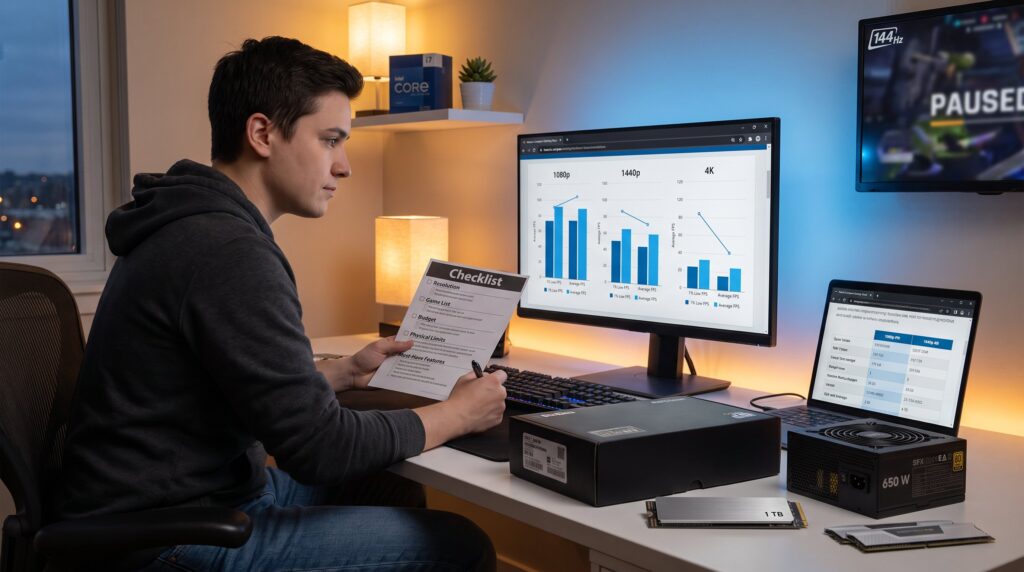
Practical note: when comparing recommendations, the reader should map each suggestion back to these five lines: resolution, game list, budget, physical limits, and must-have features. That mapping exposes which recommendations are irrelevant or ideal. For broader context about platform choices, readers can consult a short site guide.
Compare Specs, Benchmarks, And Reviews
Answer first: specs show potential, benchmarks show reality, and reviews reveal trade-offs. Begin by comparing raw specifications for GPU, CPU, RAM, storage, and PSU. Then validate those specs with game-specific benchmarks and hands-on reviews that report average FPS, 1% lows, power draw, and thermals.
Use component comparison tools and trusted review sites that test at the same resolution and settings. A GPU’s VRAM and memory bus show theoretical limits, but only benchmarks reveal how that translates to 1440p or 4K performance. Look for reviews that include both average FPS and 1% low numbers: the latter shows how often a game will stutter.
When reading recommendations, verify whether the reviewer used the same driver, OS build, and game patch. Small differences, a new driver or a patched map, can swing results by 5–15%.
Anchor links for deeper build examples: to understand how an Intel option performs in common builds, the reader can inspect the Gaming PC With Intel. For top-tier comparisons that skew toward high-core-count chips, a practical reference is the i9 build guide.
If a claim involves total-cost comparisons across price tiers, Tom’s Hardware has curated build guides that help quantify parts trade-offs and expected cost ranges, which can validate choices for $800–$2,000 budgets.
Translate Technical Specs To Real-World Impact (GPU, CPU, RAM, Storage, Power)
Fact up front: the GPU rules FPS, the CPU determines minimums and streaming performance, RAM size affects stutter, storage affects load times, and PSU headroom prevents sudden shutdowns. Translate specs into these four practical rules:
-
GPU & VRAM: For 1080p, 8 GB VRAM remains a practical baseline in 2026: for demanding 1440p and modern UE5 titles, 12–16 GB is recommended. If a recommendation lists a GPU with 8 GB but the target is 1440p with high textures, expect memory swaps and frame pacing issues.
-
CPU: Avoid CPU bottlenecks by keeping CPU price roughly 60–75% of GPU price: if a GPU costs $600, a CPU in the $360–$450 range minimizes imbalance. For streaming or heavy simulation, favor higher single-core clocks and 8–12 cores depending on the title.
-
RAM: In 2026, 32 GB DDR5 is the practical sweet spot for multitasking and content creation alongside gaming. If a recommendation lists 16 GB, it will work, but expect background apps or browser tabs to nibble performance.
-
Storage & PSU: Choose an NVMe SSD (1 TB minimum, 2 TB comfortable) to cut load times. For power, sum CPU and GPU TDP, add ~50 W for platform draw, and leave ~200 W headroom for transient spikes and future upgrades. For example: a 300 W GPU + 125 W CPU + 50 W = 475 W: pick a 650–750 W quality PSU.
Honest lesson: the author once picked a low-profile GPU for a compact case without checking VRAM, three months later, texture streaming forced downgrades. That mistake underlines the necessity of matching VRAM to target resolution.
Interpreting Benchmarks: FPS, 1% Low, Resolution, And Test Conditions
Direct answer: average FPS tells peak expectation, 1% lows reveal stutters, and test conditions determine comparability. When evaluating recommendations, read benchmark tables carefully and ask: was this tested at the same resolution, preset, ray tracing state, and upscaling mode?
Average FPS gives a headline number, useful for deciding a target (e.g., 144 FPS for a 144 Hz monitor). But 1% low FPS indicates how often the game drops into near-worst-case frames. A recommendation reporting 180 average FPS but 35 1% lows will feel inconsistent for high-refresh displays.
Check whether tests were GPU- or CPU-limited. If a reviewer measured a game on a CPU-limited map, that lowers the GPU’s visible value. Also verify the driver, OS, and game patch. The same hardware can show different results with a driver update.
Practical example: two recommended GPUs might both average 90 FPS at 1440p in the same title, but one shows 70 1% lows and the other 45. The first will feel noticeably smoother during rapid camera turns. Prefer recommendations with tight 1% lows relative to average FPS.
For hands-on benchmarking practices and how-to setup, readers who plan to run their own tests can consult thorough walkthroughs at TechSpot’s benchmarking guide.
Balance Price, Upgrade Path, And Longevity — Plus A Final Decision Checklist
Straight answer: pick the recommendation that balances immediate performance with a clear upgrade path. Consider total platform cost, not just the GPU. A balanced platform includes CPU, motherboard, RAM, cooler, PSU, storage, and case.
Longevity rules of thumb: a mid-range 1440p build around $1,500 tends to stay competitive for 3–4 years on the GPU side and 5+ years on CPU/RAM with modest upgrades. Prioritize a motherboard and PSU that allow future CPU or GPU swaps. If the recommendation forces a proprietary power connector or a socket with no upgrade roadmap, downgrade its favorability.
Concrete checklist to apply to any recommendation:
- Matches target resolution and refresh rate for primary games
- Balanced CPU/GPU ratio with adequate VRAM and 32 GB RAM recommended
- Benchmarks show acceptable average FPS and healthy 1% lows at chosen settings
- PSU sized with ~200 W headroom and quality rating (80+ Bronze or better)
- Fast NVMe storage of at least 1 TB
- Fits budget and keeps upgrade options open for 3–5 years
Quick links to relevant build primers on the site include the 1000 Dollar Gaming PC for budget planning and the Linux Gaming PC – Eurogamersonline when platform choices change. For buyers weighing console alternatives, the site also covers Affordable Gaming Consoles: options that sometimes beat low‑end PC value.
Final honest warning: a tempting spec sheet that only lists peak FPS without thermal or power data often hides annoying noise, short lifespans, or driver headaches. Favor recommendations that include real-world measurements and upgrade-friendly parts.