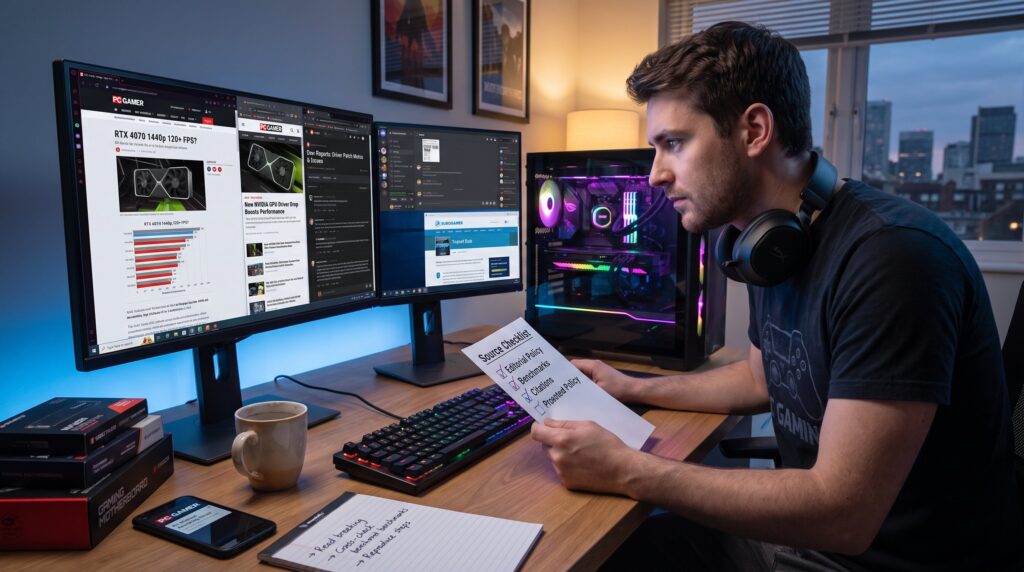
Where to Browse PC Gaming Articles and Tips matters because players need fast, accurate guidance for builds, patches, and tactics. This guide gives a clear, runnable checklist for judging sources, a compact list of top outlets for news and reviews, and the communities and niche resources that surface deep, practical advice. It helps gamers and esports fans spot trustworthy reporting, avoid biased recommendations, and find step‑by‑step help when a GPU driver fails or a server population drops. Read on for specific sites, evaluation tactics, and links to focused EuroGamersOnline resources.
Key Takeaways
- Trust PC gaming articles that disclose editorial policies, source citations, and corrections to avoid misinformation.
- Evaluate PC gaming sources by checking for credible journalist backgrounds and verification across multiple reputable outlets.
- Combine fast news from multi-platform sites with in-depth PC-focused benchmarks for comprehensive gaming insights.
- Use community hubs like Reddit and Discord cautiously, validating advice with official tests and multiple user confirmations.
- Refer to specialized sites such as EuroGamersOnline for detailed guides, hardware builds, and niche troubleshooting resources.
- Prioritize PC gaming articles that include reproducible steps, clear data, and transparent sponsorship to ensure reliability.
How To Evaluate PC Gaming Sources Before You Trust Them
Fact first: trust sites that publish clear editorial policies, show sources, and correct errors publicly. Those signals reduce misinformation and hidden sponsorship bias.
What to check immediately. Look for an “Editorial” or “About” page that explains verification, correction procedures, and funding. If a site lists staff bios with past roles at known outlets, that boosts credibility, for example, reporters who previously wrote for PC Gamer or TechSpot often carry relevant experience. Verify claims by seeing whether a major story appears across 2–3 reputable outlets: disagreement flags the need for caution.
Practical tests that save time. Scan one recent article for citations of official developer posts, benchmark data, or quoted interviews. A benchmark claim like “RTX 4070 runs Doom Eternal at 1440p 120+ FPS” should link to test methodology or include exact settings. If tests lack methodology, treat performance numbers as anecdote.
Bias and sponsorship. Check whether sponsored content is clearly labeled and separated from editorial pieces. Publications that mix affiliate recommendations inside news blur lines: that’s a red flag for independence. Readers who want how-to hardware comparisons can use the eurogamersonline guide on how to compare gaming hardware recommendations to spot subtle bias in component roundups.
Journalist credentials and updates. Confirm the author has written multiple, topic‑specific pieces (driver guides, performance tuning, or esports reporting). Prefer sites that update breaking stories with new facts and timestamps. For platform-specific builds, say a Linux gaming PC, seek outlets that publish kernel/driver notes and real-user results, such as the EuroGamersOnline Linux guide on Linux Gaming PC.
A final, human rule: trust grows with reproducibility. If a guide includes clear steps, screenshots, and measured numbers, a reader can reproduce results. If a piece relies on anonymous “sources say” without evidence, treat it as opinion until verified.
Top Places To Read PC Gaming News, Reviews, And Guides
Fact first: PC‑focused outlets and major multi-platform sites together cover 95% of accurate hardware tests and early patch analysis. Gamers should mix both types for balance.
Reliable PC-focused publications. For in-depth hardware and performance testing, PC Gamer, PCGamesN, and Rock Paper Shotgun publish long-form reviews and consistent benchmarks. TechSpot provides detailed gaming benchmarks and driver analysis useful when tuning settings. For European perspectives and regional release notes, EuroGamer and EuroGamersOnline’s PC hub remain authoritative: readers can follow the site’s focused coverage at eurogamersonlinecom pc gaming. See the full guide for a more complete rundown of related topics.
Major multi-platform outlets. IGN, GameSpot, Polygon, and Game Informer combine news speed with broad review coverage. These sites catch major announcements fast and provide playable-first impressions. When a title has cross-platform differences, these outlets note FPS targets and settings.
Where to find hardware how-to and builds. WePC and TechSpot are the go-to for component lists and practical builds. For trend context, market size, platform shifts, and upcoming changes, see analysis pieces like What’s Next for PC, which summarize market numbers and projected growth.
Tip for readers: pair a fast news site with a deep tester. Read breaking announcement coverage on a multi-platform site, then cross-check performance and tuning advice with a PC-focused lab test. For practical tips and archived guides, long-running tips archives such as Kotaku’s collection also provide compact, experience-driven solutions about glitches and playstyle adjustments (tips archive).
Concrete example: after a major GPU driver drop, read the announcement on GameSpot, then open TechSpot’s benchmark tables and PC Gamer’s driver‑specific notes to decide whether to update now or wait for hotfixes.
Community Hubs, Niche Sites, And Resources For Deep Dives
Answer up front: communities and niche outlets surface troubleshooting, mods, and genre‑specific knowledge that mainstream sites miss.
Key community hubs. Reddit communities like /r/pcgaming and game-specific subreddits show real-user reports, patch reactions, and practical fixes within hours. They are especially useful when a player needs a quick workaround, for instance, a server connection fix that restores play in 10 minutes. Discord servers for specific titles host real-time help and drop curated links to guides.
Niche blogs and curated lists. Smaller blogs focus on mods, indie genres, or hardware niches. FeedSpot and curated directories compile active PC gaming blogs: these aggregators make it easy to discover a specialist that regularly documents, for example, mod compatibility across 2,847 titles in an archive. EuroGamersOnline’s site guide on what it covers helps readers find the right niche article: consult what it covers to match a topic to the best subsite.
How to use communities safely. Treat community posts as leads, not facts. Validate patch fixes or optimization tips against lab tests or official changelogs. When following a long troubleshooting thread, note timestamps and whether multiple users confirm the same fix. If only one person reports success, wait for corroboration.
Niche resource examples. Modders often rely on Rock Paper Shotgun for long-form essays on community culture, while Game8 and other specialized wikis preserve exact build orders and step lists for complex games. EuroGamersOnline’s archive search tool helps pull older troubleshooting pieces: try the archive search when a fix references a legacy guide.
Vulnerable moment: a writer once followed an unverified overclock guide and bricked a GPU profile: after that, the writer documents voltages, ambient temps, and the one‑hour stress test that prevented repeat damage. That level of detail is why reproducible community guides matter.
Conclusion
Use established PC outlets for benchmarks and news, verify editorial standards, and supplement coverage with focused community resources. EuroGamersOnline offers a practical cluster of PC and platform guides that link to specialist how‑tos and archival troubleshooting. Balance speed with reproducibility: prefer articles that show methods, numbers, and corrections rather than opinion alone.