Are you looking for a way to optimize your home office?
If you’re reading this article you probably work remotely at least some of the time. According to recent estimates, by 2025 there will be over 32 million remote workers nationwide in the United States alone. Remote work continues to grow each year.
However there’s one thing that many remote employees tend to overlook…
Your home office setup matters more than you think!
Ok so that’s obvious you might be saying. But do you know how much of a difference the right gadgets and tools can make to your overall productivity?
Your home office setup can be the difference between treating working from home like a:
- Joyful experience
- or endless distraction
Your home office setup matters because:
- It’s easier than you think to dial in.
- It’s more affordable than you think.
- Your productivity will thank you.
Topics we’ll cover:
- Why Your Home Office Setup Matters
- Hardware Every Remote Worker Needs At Home
- How To Solve Your Business Mail Management At Home Puzzle
- Best Productivity Tools To Try Today
Why Your Home Office Setup Matters
Your work from home setup is like the on-page SEO for your website. If the foundation of your remote work life isn’t solid, nothing else will matter.
Successful remote workers know that investing in their home office setup allows them to maximize their productivity while working outside of the traditional office environment.
Recent surveys found remote employees to be between 35% and 40% more productive when working from home than staff members who worked on-site at a physical office location. That’s insane right?
When your setup isn’t causing unnecessary distractions or frustration you can focus on what’s really important… Doing your job.
Remember: Your remote work setup is crucial to your success.
Hardware Every Remote Worker Needs At Home
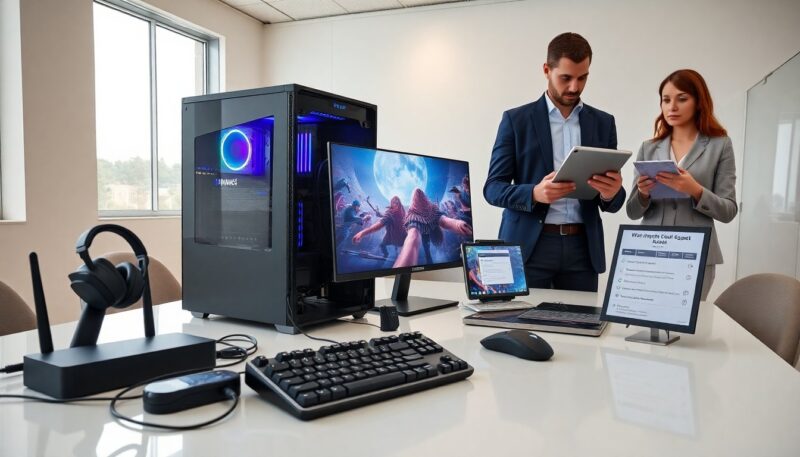
Ok so let’s talk about the hardware that every home office should be equipped with.
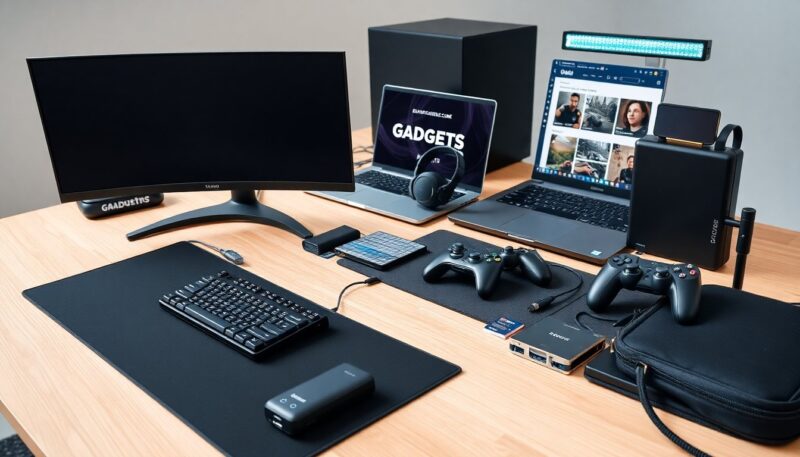
Invest In a Solid Monitor (Or Two)
If you’re looking for the biggest gamechanger for your home setup, look no further than investing in a quality external monitor. Staring at your laptop screen all day long is a recipe for injury and lost productivity. Additionally, utilizing the top AI tools can enhance your efficiency and streamline your tasks.
Look for a monitor that has at least a 27-inch screen with 1440p resolution or higher. If you can, get two and set up a dual monitor workstation. This allows you to have a dedicated screen for communications and another screen for whatever task you’re working on.
Ergonomic Office Chair
Alright this one should go without saying but…
Get a good chair. Remote workers spend just as much time, if not more, sitting in their chairs than a traditional office worker. Don’t be that person who jumps out of their chair every thirty minutes due to back pain.
Buy a quality ergonomic chair with proper lumbar support. Your future self will thank you.
Webcam and Microphone
Let’s be honest here… Built-in webcams are terrible. If you’re serious about remote work then you need to invest in a good webcam and microphone. Look for 1080p webcams and external USB microphones.
There will be plenty of times you’ll need to meet with clients or coworkers face-to-face. You’ll appreciate the quality video and audio.
Noise Cancelling Headphones
Whether your distractions come from apartment neighbors, roommates, kids or outside traffic… Noise can be the worst when you’re trying to focus on work.
Pick up a good pair of noise cancelling headphones. They help block out the outside world and allow you to focus.
How To Solve Your Business Mail Management At Home Puzzle
Here’s a home office setup secret that most remote workers overlook…
Your business mail management solution.
When you work from home you quickly learn that “business mail” doesn’t stop just because you’re no longer working at a physical office location.
Remote workers like to get important things delivered straight to the door. Yeah, well that includes business mail too.
Enter virtual mailbox services. These vendors allow remote workers to list a professional business address as their own and manage all of their incoming mail online.
A professional business mail management solution is available here and allows remote workers to list a real street address as their own, scan incoming mail, forward packages and access mail digitally from anywhere in the world.
When working from home you NEED to have a solution for managing your business mail. Whether you own your own business or not, a virtual mailbox service can help.
Best Productivity Tools To Try Today
Having the right hardware at home is important but utilizing these productivity tools will make your work from home life that much easier.
Project Management Software
There are tons of different project management software options out there but a few of the most popular include Asana, Trello and Monday.com. These programs allow you and your team to stay on top of projects while keeping track of what still needs to get done. Staying organized is critical when working remotely.
Cloud Storage
Every remote worker should have a cloud storage service they trust. Options like Google Drive, Dropbox and OneDrive allow users to save files to the cloud and access them from anywhere. Protect your work by using a cloud storage service.
Communication Apps
This is another category with countless options but Slack, Microsoft Teams and Zoom are worth checking out. Having a designated communication platform will eliminate the chances of you and your teammates wasting time not knowing where to find each other. Pick one and stick with it.
Time Tracking Software
One of the biggest downfalls of working from home is losing track of time. When your office is just steps away from the fridge it can be easy to get distracted. Try using a time tracking app to stay on task.
Wrapping Things Up
Building the perfect work from home setup doesn’t have to cost you thousands of dollars. Focus on the tools that will improve your day-to-day productivity and workflow.
To help remember here’s what was covered:
- Your home office setup is more important than you think
- Monitors, office chairs and webcams can increase productivity
- Use a virtual mailbox to manage business mail at home
- Productivity and communication tools are key
- Don’t forget about the little things like headphones and ambient noise
The future of work is remote. Spend some time now enhancing your work from home experience by improving your setup and you’ll be better off in the long run.