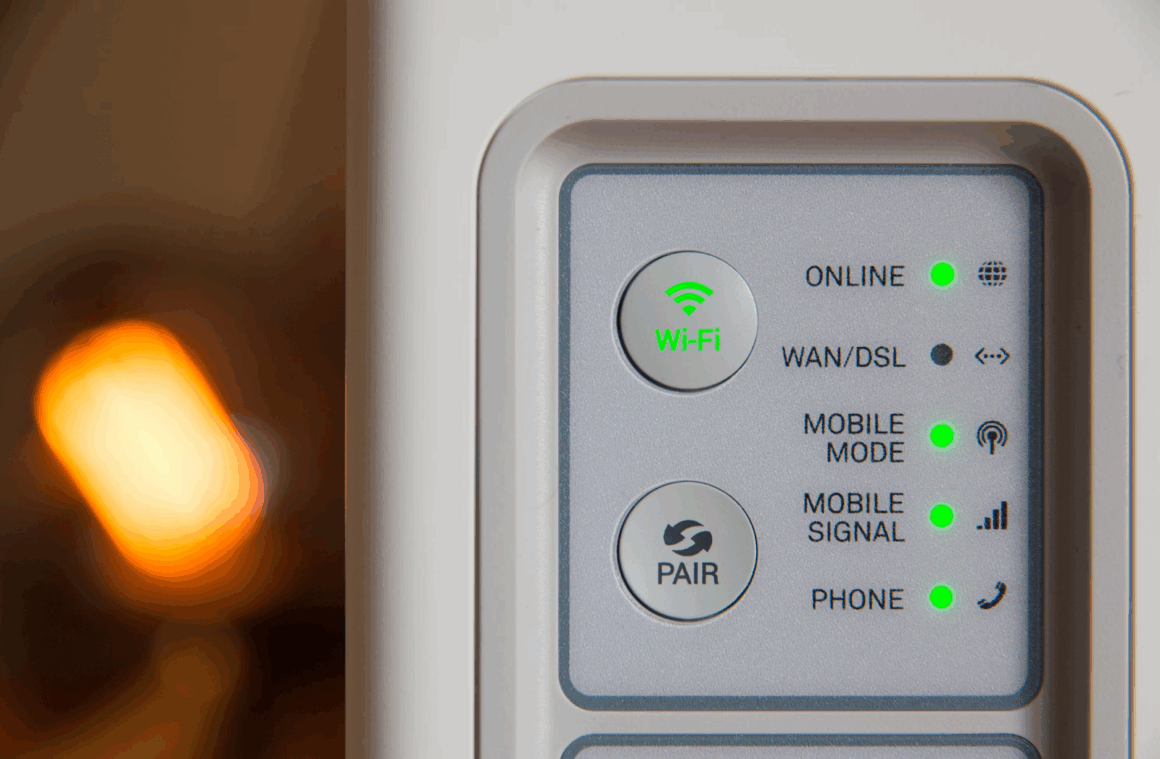
Fast internet at home begins with calm diagnostics, not new hardware. Most slowdowns trace back to a few predictable culprits: wiring, Wi-Fi placement, interference, firmware, or plan mismatch. A short, ordered checklist restores speed faster than guessing, and it prevents expensive upgrades that do not move the needle.
A simple risk-and-reward mindset helps. Treat bandwidth like a resource that should not pop under pressure. The same discipline seen in a balloon game bet applies here: add pressure slowly, watch limits, and lock gains before pushing further. With that approach, stability arrives first, peak speed second.
Start With the Physical Layer
Before tuning apps or toggling advanced settings, confirm that the signal arriving at the home is clean. Inspect the modem for correct light status, check that the coax or fiber connector is snug, and ensure power protection prevents brownouts. Ethernet cable quality matters more than many expect; Cat5e handles gigabit, while older or kinked cables can cut throughput in half.
Quick Diagnostics That Fix Most Homes
- Reboot order that matters: power off router and modem, wait 60 seconds, power modem first, router second
- Verify cable quality: replace mystery Ethernet with known Cat5e or Cat6, avoid flat decorative cables
- Separate modem and router: reduce heat stacking and stray interference by giving devices air space
- Place the router high and central: avoid closets, metal shelves, and behind-TV installs
- Turn off legacy modes: disable 2.4 GHz only SSIDs unless required and use WPA3 when available
These actions restore baseline reliability. If speed returns after the sequence, the issue was local. If not, continue with design checks that shape day-to-day performance.
After the first pass, capture a reference. Run a wired speed test from a laptop directly attached to the router. That number becomes the anchor for later Wi-Fi and room-to-room comparisons.
Design the Network for the Space
Wi-Fi behaves like sound in a building. Walls, mirrors, and appliances absorb or reflect signals. A single all-in-one router may be perfect for a small apartment yet struggle in multi-story layouts. Mesh systems with wired backhaul perform best when rooms sit far apart or floors add concrete and rebar. Where wiring exists, an Ethernet run to a secondary access point beats any wireless extender.
Channel planning reduces neighbor noise. On 2.4 GHz, choose channels 1, 6, or 11. On 5 GHz and 6 GHz, prefer automatic DFS-aware selection and avoid channel bonding that exceeds real needs. Many homes see better results with 80 MHz channels rather than 160 MHz that collapse under interference.
QoS, when used with restraint, keeps video calls smooth during peak hours. Mark conferencing and classroom tools as high priority and let bulk downloads take the background lane. Avoid extreme QoS micromanagement that turns into a maintenance burden.
Firmware, Security, and Client Hygiene
Routers benefit from regular firmware updates that patch bugs and improve radios. Schedule auto-updates during a weekly off-hour. Replace default admin passwords and disable remote management unless a trusted service requires it. On clients, clear ancient Wi-Fi profiles and remove auto-connect from public networks. Outdated VPN clients can halve throughput; ensure modern protocols and split tunneling policies where appropriate.
Smart TVs, cameras, and voice assistants often chat in the background. A separate IoT SSID reduces chatter on the primary network and limits lateral movement during a device failure. DNS filtering with a reputable provider blocks known malware domains and lowers random spikes from bad ad networks.
Provider and Plan Reality Check
Not all speed issues live inside the house. A quick plan audit prevents misaligned expectations. Compare the wired reference test against the plan’s advertised rates, remembering that overhead trims a small portion. High latency or evening dips can indicate congestion upstream.
Questions That Expose Bottlenecks
- Is the modem certified for the current speed tier and DOCSIS/GPON standard
- Do speed drops coincide with prime-time hours, pointing to neighborhood saturation
- Does the plan include a data cap that triggers throttling after a fixed threshold
- Are uploads fast enough for cloud backup, video calls, and smart-home hubs
- Is IPv6 enabled and stable, reducing odd routing hops and improving CDN paths
If two or more items raise flags, document results and contact the ISP with timestamps and wired test links. Clear evidence shortens resolution time and improves the odds of a free tier bump or line check.
After the provider review, revisit local usage patterns. Simultaneous streaming across several 4K screens and a game download will swamp modest plans. Scheduling large updates overnight and enabling automatic bandwidth limits in consoles and launchers keeps peak hours smooth.
When Mesh, Extenders, or Wiring Make Sense
Mesh shines in oddly shaped homes and townhouses where a single router cannot reach corners. For best performance, place nodes along a line from the modem toward dead zones, not clustered near the main unit. Whenever possible, use Ethernet backhaul to convert mesh from “shared air” to “dedicated lanes.” Powerline adapters can help in older homes, but results vary with wiring age.
A single wired access point on another floor can outperform two wireless extenders. If running a cable is feasible, prioritize that investment. It pays once and keeps latency low for years.
The Bottom Line
Fast home internet emerges from sequence, not magic. Confirm the physical layer, take a wired baseline, tune Wi-Fi placement, and separate noisy devices from the main lane. Keep firmware current, align QoS with real priorities, and check the plan against reality. With a short routine and honest measurements, a busy home reaches stable, fast connections without constant tinkering or costly overbuying.