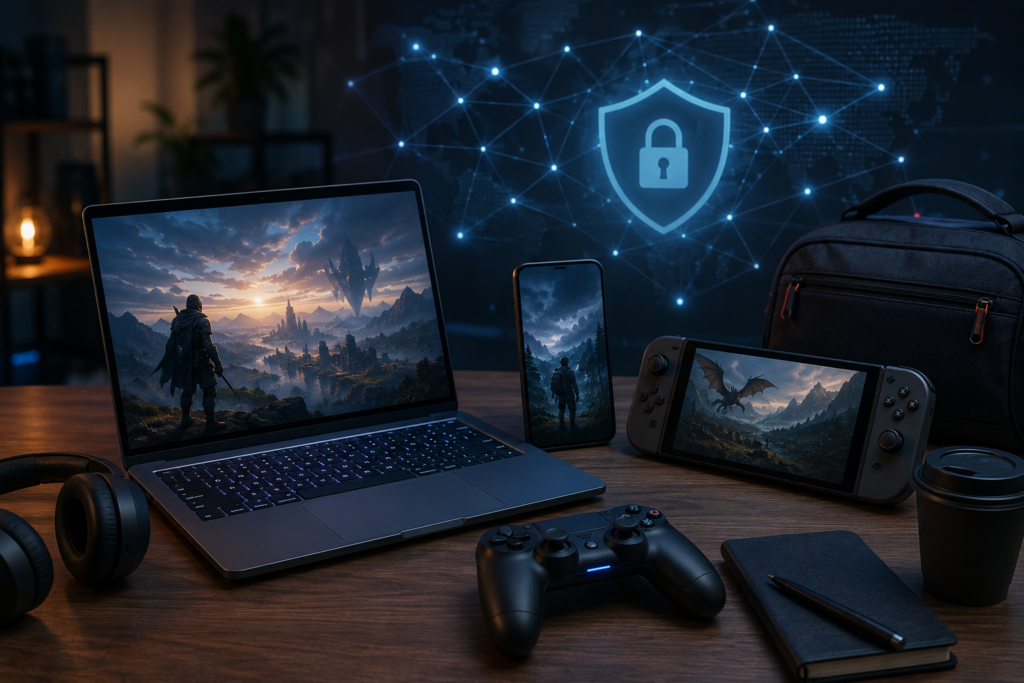
Gaming used to happen in a fairly controlled environment. A player had a console in the living room, a gaming PC at a desk, or a handheld device used mostly at home. The network was familiar, the device rarely changed, and most connection problems could be blamed on the router, the game server, or the internet provider.
That setup no longer reflects how many people play. A single player may now move between a desktop, laptop, phone, tablet, handheld PC, cloud gaming app, smart TV, and console. The same account may be used from home Wi-Fi, a student dorm, a hotel room, a cafe, an airport lounge, or a shared apartment network.
This shift has changed the way gamers should think about VPNs. The question is not simply whether a VPN is “good for gaming.” That is too broad to be useful. A better question is whether a VPN fits the device, network, game, and account behavior involved in a specific situation.
A VPN can improve privacy and add a layer of protection on unfamiliar networks. It can also create problems if used carelessly, especially in competitive games or on devices that are harder to configure. For gamers, the value of a VPN depends less on the marketing claim and more on the setup.
The Device Now Shapes the VPN Experience
The first variable is the device itself. Installing a VPN on a Windows laptop is not the same experience as using one with a console, router, phone, or handheld gaming device. On a PC or mobile device, a player can usually install an app and connect directly. On a console, the path may involve a router, mobile hotspot, or shared connection from another device.
That difference matters because gaming is sensitive to small disruptions. A streaming app may tolerate a brief delay or route change. A multiplayer match may not. If a VPN is configured poorly, the result may not look like a clear technical failure. It may show up as voice chat issues, unstable matchmaking, launcher errors, or sudden lag during a session.
This is why the safest starting point is usually the most boring one: use the official source, install the correct version for the device, and avoid unnecessary configuration changes. Players who move between a gaming laptop, mobile phone, and home computer often look for a trusted VPN download that keeps setup consistent across platforms instead of forcing a different process for every device.
The implication is simple. Before judging whether a VPN helps or hurts gaming, players need to know whether they are using it on a device where setup is straightforward. The same VPN habit that works well on a laptop may be inconvenient or fragile on a console.
Performance Depends on the Route, Not the Label
VPNs are often discussed in gaming communities through extreme claims. Some players believe a VPN will lower ping. Others assume it will always slow everything down. Both views miss the point.
A VPN changes the route between a device and the destination server. Sometimes that route may be more stable than the default path provided by an internet service provider. In other cases, it may add distance, increase latency, or create an extra point of failure. The effect depends on server location, network congestion, game server placement, and the player’s original route.
A player joining a casual match from a nearby VPN server may notice little difference. A player connecting through a distant region during a ranked session may see higher latency or inconsistent packet delivery. The average ping number can also be misleading. A connection that looks acceptable in a speed test may still produce rubber-banding, delayed inputs, or brief disconnects inside a game.
The practical lesson is that gamers should test performance in context. A VPN should be compared with and without connection enabled, using the same game, similar server region, and more than one session. One bad lobby or one overloaded game server is not enough evidence.
For gaming, stability is often more important than peak speed. A connection that stays predictable is usually more useful than one that looks fast in a single test but spikes during play.
Public Wi-Fi Turns Gaming Into an Account-Security Issue
At home, a VPN is often a privacy preference. On public or shared networks, it becomes part of a broader security routine.
Gamers increasingly sign in from places they do not control: hotels, campuses, airports, cafes, conventions, and short-term rentals. These networks are convenient, but they are not built around the needs of a gaming account. A player may open a launcher, sign into a storefront, sync cloud saves, use voice chat, or access payment details over a network managed by someone else.
The value of the account is easy to underestimate. A gaming profile may include purchased titles, in-game currency, rare skins, ranked history, saved progress, friends lists, and linked payment methods. That makes it more than a username. It is a digital asset, and sometimes a costly one.
A VPN does not replace strong passwords, two-factor authentication, or basic caution against phishing links. It does, however, add a privacy layer when the network environment is unfamiliar. That makes more sense at an airport or hotel than it might during a normal evening at home.
The broader point is that VPN use should follow the risk level of the situation. A casual single-player session on a home network and a login to a valuable gaming account over public Wi-Fi are not the same security context.
Region Switching Carries More Risk Than Players Expect
Regional access is one reason gamers become interested in VPNs. Game launches, server availability, event timing, pricing, and streaming libraries can vary by location. For players who travel, this can be annoying. A service that works normally at home may behave differently abroad.
But region switching is not a neutral action in every gaming environment. Publishers, platforms, and streaming services often have their own rules. Competitive games may also use anti-cheat systems, fraud checks, or account-protection tools that watch for unusual behavior. A sudden jump between distant locations can look suspicious, even when the player has no bad intent.
The problem is not only whether a VPN technically works. The problem is how the platform interprets the behavior. A player who changes virtual locations repeatedly may create unnecessary account friction, login challenges, or compatibility issues.
This is where restraint matters. If a VPN is being used for privacy or public Wi-Fi protection, keeping the connection stable and close to the player’s real region is usually safer than constantly switching locations. The more sensitive the game environment, the more predictable the setup should be.
Testing Matters More Than Features
VPN products often compete through long feature lists, but gaming does not reward complexity for its own sake. A useful gaming setup is usually one the player can understand, repeat, and troubleshoot.
A practical test should happen before it matters. The worst time to experiment with VPN settings is minutes before a tournament, major download, group raid, livestream, or ranked match. Players should check whether the game launches normally, voice chat works, downloads continue, cloud saves sync, and matchmaking behaves as expected.
For someone unsure whether a VPN fits their gaming routine, testing with a free VPN can be a low-pressure way to evaluate the basics before using it during more important sessions. The point is not to chase every feature. It is to learn whether the setup works with the player’s real devices, games, and network conditions.
Console players should be especially cautious. Since many consoles do not support direct VPN apps in the same way computers and phones do, a router-based or shared-connection setup may introduce extra complexity. That does not make it unusable, but it does mean the player should understand the tradeoff before relying on it.
The best VPN setup for gaming is not necessarily the most advanced one. It is the one that protects the connection without making the gaming experience harder to manage.
A VPN Should Fit the Gaming Routine, Not Take It Over
The most realistic way to think about a VPN is as a network tool, not a gaming upgrade. It can be useful when a player is using public Wi-Fi, traveling, protecting account activity, or trying to keep browsing more private across devices. It may also be unnecessary in situations where the home connection is stable, the device is fixed, and the game environment is sensitive to route changes.
Brands such as X-VPN are part of this broader category of consumer VPN tools, but the decision still depends on the player’s actual setup rather than the brand name alone. A careful gamer should care less about whether a VPN sounds powerful and more about whether it works quietly in the background without creating new problems.
That is the real shift in gaming connectivity. Players no longer use one device, one network, and one account in one place. They move constantly between screens and environments. A VPN can support that flexibility, but only when used with the same discipline gamers already apply to hardware, settings, and account security.
The smartest approach is not complicated: use official downloads, test before serious play, keep regions stable, respect platform rules, and protect the account first. Gaming already has enough variables. A VPN should reduce uncertainty, not add another layer of confusion.