When you spend hours at a screen, the gear you choose determines how your body feels by the end of the session. Modern gaming environments often focus on speed and frames per second, but the physical well-being of the person behind the desk is the most important factor for long-term play. If you find your eyes feel like they have sand in them or your neck is stiff after a few matches, it is time to look at the tools you use. Small changes in hardware can make a massive difference in how you interact with your digital space.
Ergonomic Mice And Keyboard Support
One of the most effective ways to help your body stay relaxed is by choosing a mouse that fits the natural shape of your hand. Many standard office mice are too small or flat, which forces your wrist to sit at an awkward angle. Gaming-specific mice often feature thumb rests and a higher arch. This support helps stop the dull ache that starts in the palm and travels up the arm.
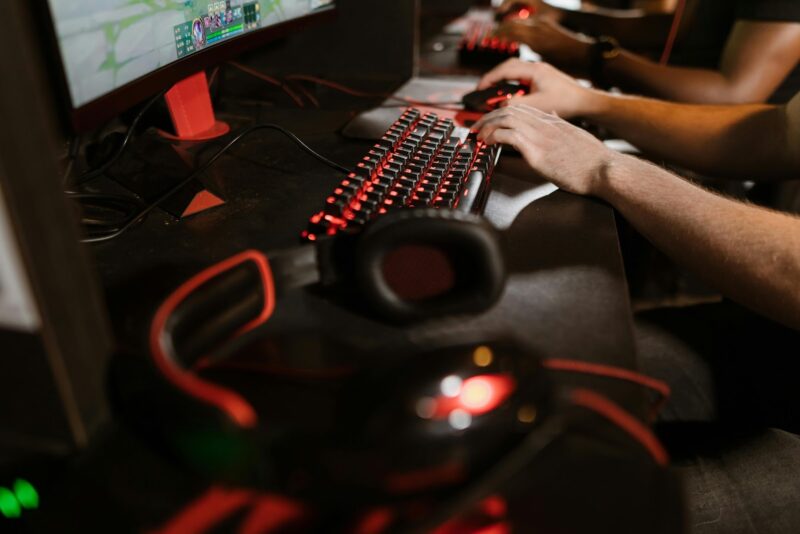
Using a mouse with adjustable weights can help, as it lets you move the device with less effort, reducing the strain on your smaller muscles. Similarly, a mechanical keyboard with the right switches can reduce the force needed to register a keypress. This prevents finger fatigue during intense moments. Adding a padded wrist rest ensures that your hands stay level with the keys, preventing the “claw” grip that leads to discomfort over time.
Sound And Audio Comfort
Sound is another area where comfort is often neglected. A heavy headset can cause tension headaches or pressure around the ears. Moving to a lightweight pair with memory foam cushions can solve this. Some people find that switching to open-back headphones helps, as these allow air to flow around the ears, preventing that hot, trapped feeling during long afternoons at the computer.
If you prefer not to wear anything on your head, high-quality desktop speakers paired with a standalone microphone can provide a more open feel. This setup removes the physical weight from your neck and allows you to move your head freely, which is a relief for anyone who feels restricted by wires and heavy plastic.
The Role Of Visual Protection And Clarity
The way you see your screen is perhaps the biggest factor in how your eyes feel. Most people sit too close to their monitors or have them at the wrong height. Your screen should be at arm’s length, with the top of the glass at or slightly below eye level. This prevents you from tilting your head back or hunching forward. While monitor arms help with positioning, the light coming from the screen itself is the primary source of discomfort for many.
Addressing Eye Fatigue With Specialised Eyewear
This brings us to a tool that has become common among those who spend all day at a PC: gaming glasses. These are not just for style; they serve a specific purpose for anyone who gets tired, dry, or achy eyes. Most screens emit a sharp, high-energy light. This light can be harsh, especially in a dim room. Specialised gaming glasses use lenses that filter out this specific part of the light spectrum. By doing this, they make the image on the screen appear warmer and softer.
When you wear these glasses, your eyes do not have to work as hard to process the harsh contrast of a bright screen. This is particularly helpful for those who forget to blink when they are focused. A lack of blinking leads to dry eyes, which then leads to rubbing and irritation. By softening the light, these lenses help the eyes stay relaxed for longer. Many users find that the slight yellow or amber tint also helps sharpen the image, making text and small details easier to read without squinting.
Sleep Quality And Screen Use
There is the matter of sleep. If you use a computer late into the evening, the light from the monitor can trick your brain into thinking it is still daytime. This makes it much harder to fall asleep once you finally turn the machine off. Filtering this light helps your body follow its natural rhythm, so you can transition from a game to sleep without tossing and turning for hours. If you suffer from frequent headaches after screen time, a pair of these glasses could be a simple way to find relief.
Long-Term Eye Health
Protecting your vision is a long-term goal. Constant exposure to bright, unfiltered light can lead to a feeling of “heavy” eyelids and a burning sensation. High-quality gaming glasses act as a barrier. They are designed to be worn under headsets without pinching the sides of the head, making them a seamless part of a professional or hobbyist setup. By reducing the glare and the intensity of the light, you can focus on the game rather than the discomfort in your head.
Seating And Posture Gadgets
For those who want to fix their setup, a high-quality chair is another piece of the puzzle. A good chair supports the lower back and keeps your spine in a neutral position.

Look for one with adjustable armrests. If your arms are supported at the right height, your shoulders will not bunch up toward your ears. This reduces the risk of tension building up in your upper back and neck.
Lumbar Support And Footrests
If your chair lacks proper support, an external lumbar pillow can help. It forces your lower back to maintain its natural curve, which stops you from slouching. A footrest is another underrated gadget. By keeping your feet flat and slightly elevated, you take the pressure off your lower legs and improve blood flow. This is a simple fix for anyone who feels restless or “fidgety” after an hour of sitting.
Standing Desk Converters
Some gamers prefer to change positions entirely. A standing desk converter allows you to raise your monitor and keyboard so you can play while standing. This change in posture can wake up your muscles and give your back a break from sitting. Even twenty minutes of standing during a session can help keep your energy levels high and reduce the physical slump that often happens during long sessions.
Small Accessories With Big Impact
A large, thick mousepad is a small change that makes a big difference. A soft surface provides a cushion for your wrist and ensures that your mouse movements are smooth and consistent. This prevents the jerky movements that can lead to wrist strain. Cable bungees are another great addition. They hold your mouse wire in place, preventing it from snagging on the edge of the desk. This might seem minor, but removing that tiny bit of resistance makes every movement feel lighter and more natural.
Lighting Your Environment
The light around your desk matters as much as the light on your screen. Playing in a pitch-black room causes intense eye strain because the contrast between the dark room and the bright monitor is too high. A “bias lighting” kit—a strip of LED lights that sticks to the back of your monitor—can solve this. It casts a soft glow on the wall behind the screen, which reduces the perceived brightness of the monitor and makes it easier on your eyes.
Maintaining The Human Element
While all these gadgets help, the most important “tool” is taking breaks. The 20-20-20 rule is a good habit: every 20 minutes, look at something 20 feet away for 20 seconds. Combining this habit with the right gear, like filtering glasses and ergonomic chairs, creates an environment where you can perform at your best without hurting your body.
Investing in your setup is about more than just buying the fastest processor. It is about creating a space where you can spend time without physical cost. From the way you support your wrists to the way you filter the light hitting your retinas, every piece of gear plays a part in your health. By choosing tools that prioritise comfort, you ensure that you can keep playing for years to come.