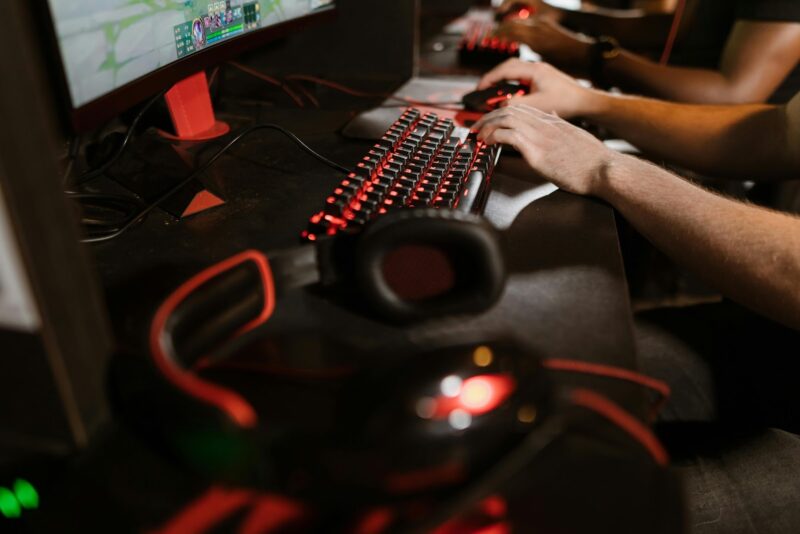
When you hop onto public Wi-Fi for gaming, you’re opening the door to unseen risks. Hackers can intercept your game data, steal your login info, or even swipe in-game items without you noticing.
With so many gamers choosing these networks for convenience, it’s easy to overlook just how exposed your accounts and privacy can be. You might be surprised how vulnerable your information is, and how effortlessly cybercriminals can exploit it if you’re not careful.
Why Public Wi-Fi Is Especially Risky for Gamers
Gaming on public Wi-Fi can pose various security risks. When connected to these networks, users are vulnerable to threats such as man-in-the-middle attacks, where hackers may intercept game data and potentially steal credentials. This is evident in documented cases, such as one in Australia where cybercriminals accessed a significant amount of user information. Additionally, users may encounter “evil twin” hotspots, fraudulent networks set up to mimic legitimate ones, leading to unauthorized access to personal data.
Unencrypted Wi-Fi connections further expose users to risks like the capture of keystrokes or chat messages, increasing the likelihood of identity theft. Malware infections are another concern, as they can compromise user accounts and lead to unauthorized transactions involving in-game purchases. Lastly, the typical congestion of public Wi-Fi networks can make users susceptible to Distributed Denial of Service (DDoS) attacks, resulting in lag and disconnections.
To mitigate these risks, gamers can use a secure solution such as PIA USA VPN, which encrypts traffic, hides your IP address, and provides a safe tunnel for gaming data, even on public networks. This ensures that login credentials, in-game purchases, and personal information remain protected while maintaining stable connectivity.
How Attackers Target Gamers on Public Wi-Fi
Attackers targeting gamers on public Wi-Fi often exploit its vulnerabilities by setting up rogue access points known as “evil twin” networks. These networks imitate legitimate hotspots in locations such as cafes and airports. Once connected, attackers can intercept the user’s data, including gaming credentials.
Through man-in-the-middle attacks, they can capture or manipulate in-game data. Gamers might also encounter fake update links or emails, which, if clicked, could lead to malware installation on their devices. Additionally, attackers may employ packet sniffing techniques to eavesdrop on gamers’ communications or transactions.
Common Privacy Risks Gamers Face on Public Wi-Fi
Gamers using public Wi-Fi networks are exposed to notable privacy risks. When accessing the internet from places like cafes, airports, or hotels, there’s a potential for man-in-the-middle attacks, where attackers can intercept unencrypted game data and user credentials. This vulnerability can lead to the capture of sensitive information, such as logins, which could compromise gaming accounts and result in unauthorized access, item theft, or exposure of personal identity.
Another risk is the presence of “evil twin” networks, malicious hotspots designed to mimic legitimate networks. These can deceive users into entering sensitive information on counterfeit login pages. With a significant portion of users, over 60%, accessing personal accounts via public Wi-Fi, gaming profiles and related purchases are susceptible to data interception and cybercrime. It’s essential for users to be aware of these risks and take precautions to protect their information when using public Wi-Fi for gaming.

How to Recognize Unsafe Public Wi-Fi Networks
When using public Wi-Fi networks, distinguishing between a secure and an insecure one is crucial, particularly if you’re engaging in activities such as online gaming. Insecure networks frequently lack encryption.
A telltale sign of an unsafe network is the absence of a password requirement or the use of outdated security protocols like WEP instead of more secure standards such as WPA2. These networks should be approached with caution. Another potential risk comes from “evil twin” networks, which are fraudulent networks designed to mimic legitimate ones closely.
For instance, a network named “StarbucksWiFi” might be an impostor if the official network is named “Starbucks-WiFi.” Such decoy networks are commonly found in crowded public spaces, including cafes and airports.
Additionally, when browsing websites, the presence of “HTTP” instead of “HTTPS” in the URL is a critical indicator of an unsecured connection. “HTTPS” ensures that data exchanged is encrypted, thus safeguarding it from unauthorized access. Therefore, connecting to networks that display these signs may compromise your data security.
Steps to Protect Your Gaming Accounts and Personal Data
To effectively safeguard your gaming accounts and personal data, identifying unsafe public Wi-Fi networks is essential, yet it’s only part of the security process. Proactive measures are necessary whenever you connect to any network. One fundamental step is enabling two-factor authentication on all gaming accounts, which serves as a substantial barrier against unauthorized access attempts. Utilizing strong, unique passwords for each account is also crucial; these should be a mix of letters, numbers, and symbols to prevent breaches through weak credentials.
Regularly updating gaming software and antivirus programs is important as well, as these updates often include patches for vulnerabilities that could be exploited, particularly on public Wi-Fi networks. Additionally, it’s advisable to refrain from sharing personal information on gaming platforms and to adjust privacy settings to minimize exposure.
Finest Encryption and VPN Tools for Secure Gaming
To enhance the security of your gaming sessions, it’s advisable to use encryption and VPN tools that are specifically designed to address the vulnerabilities associated with public Wi-Fi networks. Splashtop offers high-performance encryption, which can be tested through their free trial, providing an opportunity to assess its effectiveness. NordVPN provides encryption for gaming traffic through its network of over 5,400 servers, which helps to significantly reduce the risk of data interception.
ExpressVPN employs AES-256 encryption across more than 3,000 servers, offering data protection while aiming to minimize latency. Private Internet Access uses OpenVPN and WireGuard protocols to offer unlimited bandwidth, securing multiple devices effectively. Surfshark includes features such as Camouflage Mode, which conceals user activity from ISPs and potential hackers, and a kill switch to prevent data leaks, thus maintaining user privacy during gaming sessions.
Remote Gaming Solutions for Safe Play on Public Wi-Fi
Gaming on public Wi-Fi can pose significant security risks, as these networks are often less secure and more susceptible to cyber threats such as man-in-the-middle attacks. To mitigate these risks, remote gaming solutions like Splashtop offer a viable option by allowing users to access their home gaming PC securely from any location. Splashtop uses encryption to protect the connection, thereby reducing the likelihood of data interception.
When combined with a Virtual Private Network (VPN), Splashtop further enhances privacy by ensuring that all internet traffic is encrypted. This dual-layer protection is particularly beneficial on open networks, which are common targets for attackers. Additionally, Splashtop incorporates built-in security measures such as two-factor authentication and regular software updates to safeguard against potential exploits.
For those considering this option, Splashtop offers a free trial, allowing users to evaluate its security features and performance. When choosing a remote gaming solution, it’s advisable to prioritize options that provide strong encryption to maintain data security while gaming on public Wi-Fi networks.
Conclusion
When you game on public Wi-Fi, you’re putting your personal data, gaming accounts, and even your financial information at serious risk. Hackers can easily exploit insecure networks to steal your info, hijack your accounts, and ruin your gaming experience. Don’t let convenience compromise your safety. Always recognize unsafe networks, use strong encryption and VPNs, and stay alert to protect yourself. If you take the right precautions, you can enjoy gaming without sacrificing your privacy.