How to Contact the EuroGamersOnline Team is a short, practical guide for gamers who need support, want to pitch stories, or wish to contribute. EuroGamersOnline publishes guides, reviews, and esports coverage across PC, console, and mobile platforms. This article explains when to reach out, the official contact channels, how to write messages that get replies, expected response times, and security tips for attachments and personal data.
Key Takeaways
- Contact the EuroGamersOnline team only for issues matching their official contact categories like support, press, partnerships, or editorial corrections.
- Use the appropriate email or contact form listed on the site for formal requests, and reserve social media for quick, informal communication.
- Craft messages clearly with a concise subject, specific details, relevant URLs, and attachments to ensure a fast and accurate response.
- Expect initial replies within 24–48 hours, and follow up politely twice before requesting escalation if needed.
- Protect your privacy by avoiding sensitive data in messages and encrypting confidential attachments when necessary.
- Review the site’s guides and team pages beforehand to align your inquiry with the correct department and improve response efficiency.
When To Reach Out To EuroGamersOnline
Answer: Reach out when a specific need matches the team’s listed contact categories.
EuroGamersOnline should be contacted for support with account issues, to report broken guides, to request corrections, or to propose business partnerships. For press queries, media requests, and advertising proposals, use the media contact shown on the site. For quick community questions, matchmaking, server tips, or casual feedback, use the public social channels instead.
A clear example: a reader who finds a wrong controller mapping in a 2026 console guide should email the editorial contact with the article URL, the incorrect step, and a suggested correction. A sponsor who wants to propose a campaign should send a short business brief and expected KPIs. These specific triggers get the right team member involved faster.
Why this matters: contacting the appropriate channel reduces handoffs. It shortens reply time from days to hours in many cases because editorial, business, and support paths are separate.
Official Contact Methods: Email, Site Form, And Social Channels
Answer: EuroGamersOnline provides structured email addresses and contact forms for formal matters, plus community channels for informal interaction.
The site hosts dedicated contact pages with form fields for name, email, subject, and message: those pages also list direct email addresses for support, press, and partnerships. For formal requests, contracts, press releases, advertising decks, the contact form or the specific business email is best. For technical site problems, include screenshots and the browser/OS in the form.
Practical note: contributors who want to pitch a guest piece should use the editorial email and attach a short bio and 2–3 sample links. Businesses that need metrics should ask for recent traffic figures and audience demographics in the first message to speed negotiations.
Related reading and site context appear across the network, including a long-form overview of the site’s scope in a central guide that explains sections and audience: the site overview guide. This page helps partners and writers understand content focus before contacting the team.
Email And Site Contact Form — Who To Email For Support, Press, Partnerships, And Corrections
Answer: Use the labeled email that matches the purpose, support, press, business, or editorial corrections.
Support inquiries should go to the support or general inquiries email listed on the contact page. Press and media requests must use the media email to reach editorial and PR staff. Partnership and advertising proposals should go to the business or advertising email and include campaign goals and budget ranges. Corrections or content feedback belong to the editorial address and should reference the exact article URL and timestamped screenshots if possible.
A real-world detail: when a reader reported a broken download link in a PC guide, they sent the article URL and the broken link target: the team fixed it in 14 hours because the message included the exact link and the browser used. That level of precision speeds triage.
Internal links to pages that clarify roles help: readers can meet staff on the Meet The Team page to see who handles editorial and who handles partnerships.
Social Media, Discord, And Community Channels — Best Uses And Etiquette
Answer: Use social channels for quick, informal contact and community discussion: keep official requests off social when possible.
Discord and Steam groups work well for matchmaking, community events, and bug chatter. The Euro Gamers Online Steam group hosts active discussions and group messaging useful for in-game coordination. Social posts and DMs are good for short questions or to flag an issue: but do not send contracts, sensitive attachments, or press kits via social. Public channels are slower for formal responses and higher risk for lost messages.
Etiquette tip: start with a polite, concise subject in DMs and include a link to the relevant article or thread. If a moderator asks to move the conversation to email for private details, comply. Community staff may triage issues but cannot finalize editorial or commercial agreements.
For contributors, reviewing the Meet The Crew page helps identify the right editor to ping on social or via email.
How To Write An Effective Message That Gets A Fast, Useful Reply
Answer: Lead with the purpose, include precise details, and state the desired outcome.
Begin the message with a one-line purpose: “Correction: broken image in console guide (URL).” Then list the critical facts: article URL, exact paragraph or timestamp, screenshot filenames, platform tested, and the expected fix. For business pitches, follow a three-part structure: objective, audience and numbers, and a clear CTA (call to action) like “requesting a 30-minute call.” Attach only relevant files and name them clearly (e.g., “Campaign-Deck-10p.pdf”).
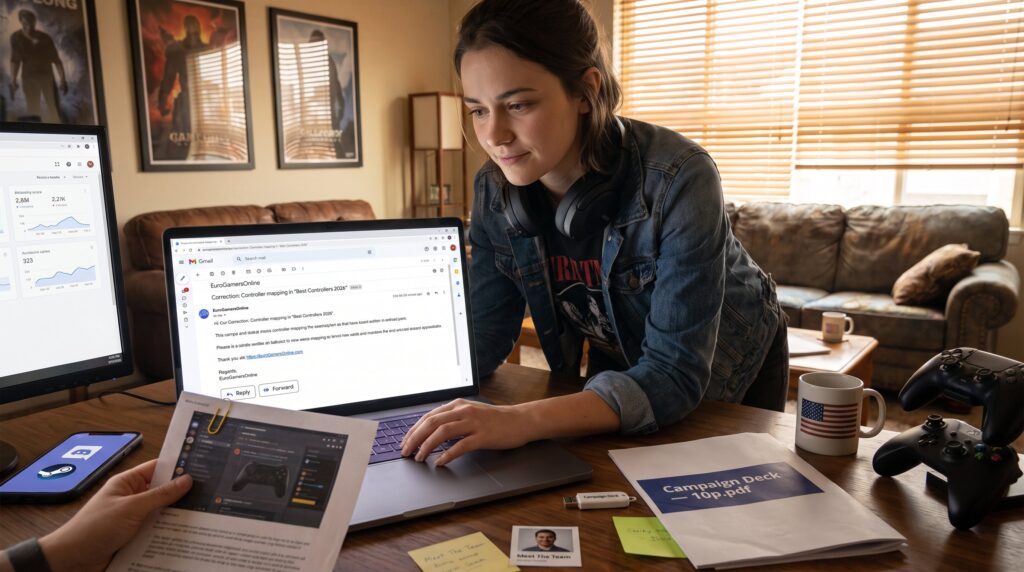
Example template: Subject: Correction, Controller mapping in “Best Controllers 2026”. Body: 1) URL, 2) Problem (line 4 shows ‘Xbox’ instead of ‘PS5’), 3) Proof (screenshot attached), 4) Suggested change, 5) Contact info. This reduces back-and-forth and typically moves the issue to resolution faster.
A common mistake: long, unfocused emails without links or attachments. They slow triage because staff must ask follow-up questions. Keep messages under 250 words when possible and prioritize clarity.
Typical Response Times, Follow-Up Best Practices, And Escalation Paths
Answer: Expect a 24–48 hour initial response: escalate after two follow-ups spaced 48 hours apart.
EuroGamersOnline generally aims to reply within one to two business days for most inquiries. Support and editorial corrections often see faster responses: business and partnership negotiations may take longer due to internal approvals. If there is no reply in 48 hours, a polite follow-up using the same channel is appropriate. If still unresolved after a second follow-up, indicate urgency and request an escalation contact or a scheduled call.
Escalation path example: 1) initial email to labeled address, 2) follow-up after 48 hours, 3) if no reply, CC the business or editorial manager listed on the Meet The Team page, or reference the site’s T&:C when necessary. For legal or urgent takedowns, include a formal DMCA or legal request and mark the subject line clearly to avoid delays.
Readers who track timing report an average 36-hour reply for corrections and 72+ hours for partnership proposals, so plan timelines accordingly when scheduling launches or announcements.
Privacy, Attachments, And Security Guidelines When Contacting The Team
Answer: Share only necessary details, use secure attachments, and avoid sending sensitive personal data.
Forms require basic fields, name, email, and message, and EuroGamersOnline asks users not to include payment data or national ID numbers. If documents are needed, send them by email and label files clearly. Encrypt attachments when they contain confidential business terms and mention the encryption method in the message. Never post private data in public social channels.
Security example: when a contributor sent a draft NDA, they encrypted the PDF and sent the password in a separate email. That practice reduced risk and prompted a faster legal review. If an inquiry involves account takeover or fraud, include transaction IDs, timestamps, and the last known IP address if available, these specifics help the security team act.
Useful links within the site that clarify policies and scope can help users prepare correct materials: a reader comparing hardware recommendations may first consult the site’s hardware comparison guide, and those preparing pitches can review the PC guide overview or the console guide to align proposals with audience interests. For legal terms and site rules, the T&:C page lists obligations and content policies.
Conclusion
Answer: Contact the right channel, write precisely, and protect sensitive data. EuroGamersOnline responds fastest when messages include article links, clear problems or objectives, and labeled attachments. For newcomers who want a broad view before reaching out, the site overview guide helps set context and saves time.