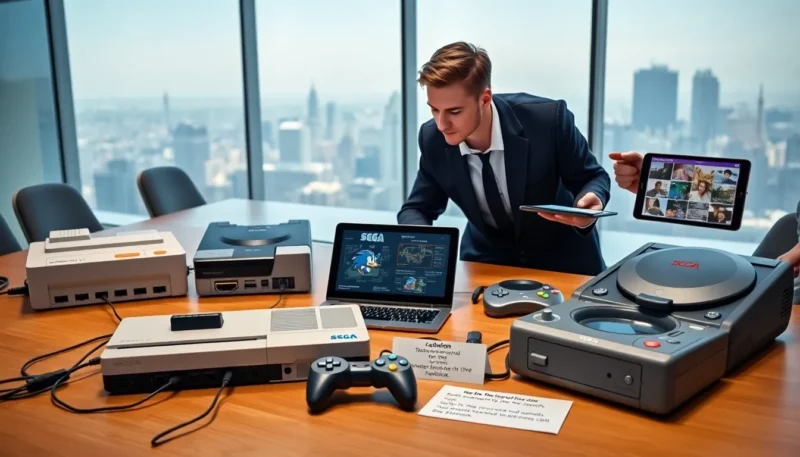
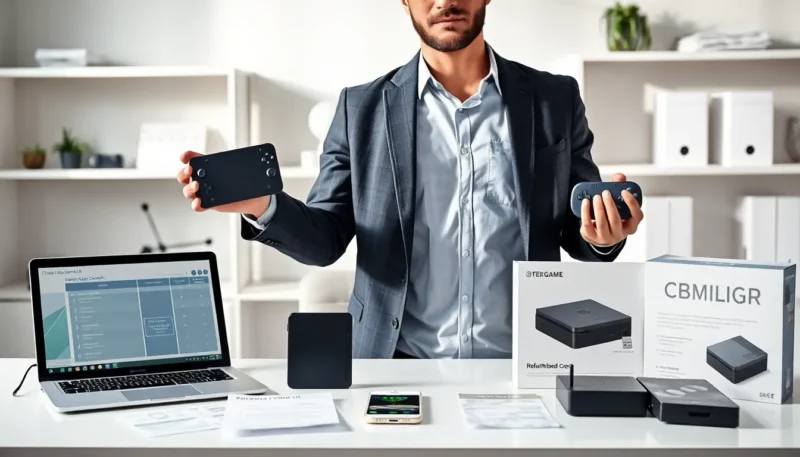
Gaming console repairs start with a clear problem description and the right tools. The reader learns common failures, simple fixes, and when they should hire a pro. The article sets expectations for cost, time, and maintenance.
Key Takeaways
- Identify common signs—power failure, disc read errors, overheating, loud fans, or controller drift—to decide between DIY fixes and professional gaming console repairs.
- Try basic troubleshooting first: test outlets and cables, hard-reset the console, clean discs and vents, and update firmware before replacing parts.
- Choose professional gaming console repairs for drive replacement, noisy fan swaps, or board-level soldering, and always request a written estimate and warranty on parts and labor.
- Protect data and warranty: contact the manufacturer if the console is under warranty, back up saved games, and ask repair shops about data handling and secure drive cloning.
- Reduce future repairs with preventive maintenance—clean vents every 3–6 months, allow four inches of airflow, use surge protectors, and install system updates promptly.
Common Console Problems And What They Mean
The most common reason people search for gaming console repairs is power failure. The console will not turn on when the power supply fails. A faulty power brick or internal power board will stop the console. The next common problem involves disc read errors. The drive will fail to read discs when the laser or spindle wears out or when the disc is dirty. Overheating shows as sudden shutdowns or throttled performance. Dust will block vents and fans will slow the airflow. Loud fan noise usually means one fan wears or the bearing fails. Controller problems appear as drift, stuck buttons, or failed wireless pairing. Batteries will lose capacity and controllers will disconnect without charge. Network and software issues can also prompt a repair visit. The console will freeze or crash when system files corrupt or when an update fails. Storage devices will fail slowly and cause load errors. Each problem has a clear sign and a typical fix. Readers can use these signs to decide whether to try a DIY fix or seek professional gaming console repairs.
DIY Troubleshooting Guide For Major Issues
Power Issues And Hard Resets
When a console will not power on, the owner should test the outlet, the cable, and the power brick. They should try a different outlet and a different cable if possible. When the device has a removable battery or power supply, they should disconnect and reconnect it. They should hold the power button for ten seconds to force a hard reset. A hard reset will clear minor power faults and may allow the system to boot.
Disc Read Errors And Drive Fixes
When the console reports a read error, the owner should inspect the disc for scratches and clean it with a soft cloth. They should test multiple discs to confirm the drive problem. If the drive still fails, they can try a firmware update. If the firmware update fails, they should not force the drive. Replacing the laser assembly or the drive requires tools and skill. Many owners prefer professional gaming console repairs for drive replacement.
Overheating, Fan Noise, And Thermal Issues
When the console overheats, the owner should power it down and clean the vents. They should use compressed air in short bursts to remove dust. They should check that the console sits in open space and that vents are not blocked. When the fan makes noise, the owner should check for dust and then test the fan. Replacing a noisy fan requires case opening and careful cable handling. Many owners choose professional service for fan replacements.
Controller And Peripheral Problems
When a controller drifts or fails to pair, the owner should reset the controller and re-pair it. They should test with another controller to rule out the console. When buttons stick, the owner should clean around the buttons with isopropyl alcohol. When batteries wear, they should replace rechargeable packs or the AA batteries. When peripherals fail to connect, the owner should update the console system software and the controller firmware. Simple fixes will solve many controller issues without professional gaming console repairs.
When To Choose Professional Repair
Types Of Professional Services And What They Cover
Repair shops will offer diagnostics, part replacement, and board-level repair. A diagnostics session will identify the failing component. Shops will replace drives, fans, power boards, and controllers. Shops that offer board-level repair will handle soldering and capacitor replacement. Some shops will offer data recovery and storage replacement. Retail service centers will offer manufacturer parts and official repair paths. The owner should check service scope before they hand over the console.
Warranty, Manufacturer Support, And Data Safety
When the console remains under warranty, the owner should contact the manufacturer first. The manufacturer will often repair or replace the console without charge. The owner should register the repair and ask about data handling. Professional repair shops will advise on data backups and might offer to clone the drive. The owner should remove personal data when they can. They should ask the shop about data privacy and secure handling before they authorize gaming console repairs.
How To Find A Reliable Repair Service
Checking Credentials, Reviews, And Turnaround Time
The buyer should check shop credentials and local reviews. They should read recent reviews for honesty about service quality. They should ask for examples of similar console repairs the shop completed. They should ask how long the shop will need to diagnose and fix the console. A clear timeline shows shop organization and helps the owner plan.
Getting Accurate Estimates And Repair Guarantees
The owner should request a written estimate that lists parts and labor. They should compare price and time across shops. The owner should ask about warranty on parts and repairs. A clear repair guarantee shows that the shop stands behind its work. Shops that refuse to give any guarantee may not offer reliable service. A fair shop will explain limits and will give a short guarantee for parts and labor.
Cost And Time Expectations For Common Repairs
Typical Price Ranges By Issue
Power supply or power board replacement will cost less than board-level work. Owners should expect lower prices for power brick swaps and higher prices for internal board replacement. Drive or disc mechanism replacement will cost mid-range when the owner uses used parts. Controller replacement will cost least when the owner buys a new controller instead of repair. Board-level repair will cost most because of labor and skill.
Expected Repair Timelines And Rush Options
Basic fixes often finish in one to three business days. Drive or board replacements often take three to seven days. Board-level repair may take one to two weeks if parts need sourcing. Many shops offer rush service for an extra fee. The owner should ask about rush fees and confirm the timeline before they approve service. They should also ask about part warranties when they consider rush jobs and gaming console repairs.
Preventive Maintenance To Extend Console Lifespan
Cleaning, Ventilation, And Placement Best Practices
The owner should clean vents and fans every three to six months. They should place the console on a flat, stable surface with four inches of airflow on all vents. They should avoid enclosed cabinets that trap heat. They should use a small fan in the room when they run long sessions. They should keep pets and dust away from vents.
Software Updates, Backups, And Safe Usage Habits
The owner should install system updates when the console prompts. They should backup saved games to cloud or external storage. They should avoid abrupt power cuts by using surge protectors. They should close unused apps and avoid running multiple heavy tasks at once. These habits will reduce wear and lower the need for gaming console repairs.