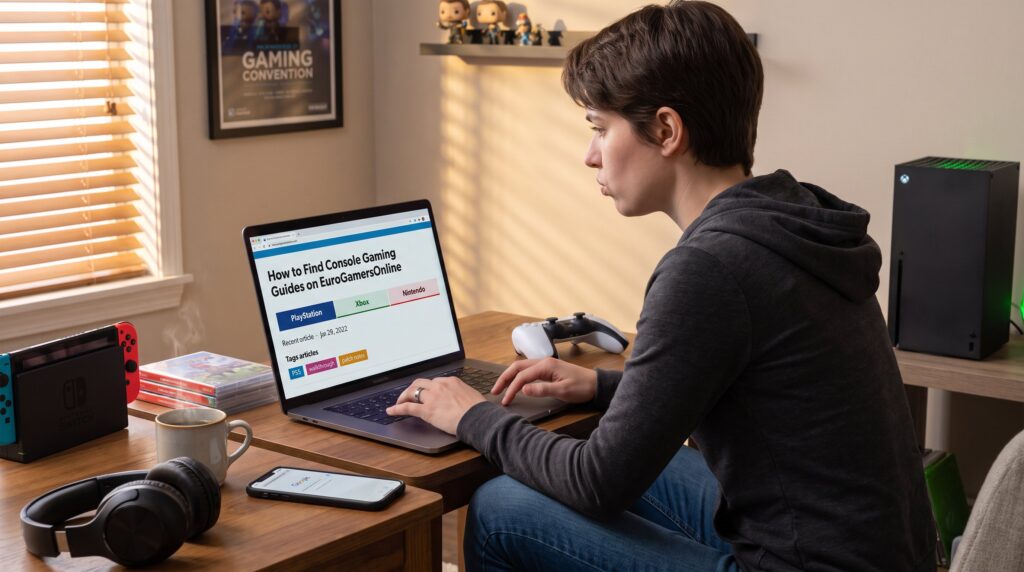
EuroGamersOnline is a go-to place for console gaming guides in 2026. Gamers can find platform-specific walkthroughs, hardware tips, and patch-aware strategies for PS5, Xbox Series X, and Nintendo Switch within a few clicks. This guide shows how to reach the exact console content they need fast, how to judge guide quality, and which search tactics save time when a patch or DLC lands.
Key Takeaways
- EuroGamersOnline specializes in up-to-date console gaming guides for PS5, Xbox Series X, and Nintendo Switch, ensuring relevant advice tied to recent patches and DLCs.
- Use the main menu and platform-specific sections to quickly access targeted guides and hardware tips for your console of choice.
- Employ precise search phrases combining game titles, platform names, and features (e.g., “Elden Ring guide PS5 boss”) to filter console-specific content efficiently.
- Leverage site tags, categories, and platform filters to narrow down results, reducing browsing time by focusing on relevant troubleshooting or walkthrough topics.
- Evaluate guide quality by checking update dates, firmware versions, step-by-step instructions, and author credibility to avoid outdated or imprecise guidance.
- Bookmark platform hubs and verify guide currency before use to have reliable and actionable console gaming support during patches and DLC releases.
Why EuroGamersOnline Is A Great Source For Console Guides
EuroGamersOnline focuses on console coverage for PS5, Xbox Series X, and Nintendo Switch, which makes it a reliable starting point. The site maintains sections dedicated to platform news, walkthroughs, hardware tips, and troubleshooting. For example, a player who needed DualSense battery troubleshooting and a PS5 cooling tip found step-by-step fixes and a firmware note dated within the last month. That regular update cadence matters: guides tied to recent firmware or DLC reduce wasted time.
EuroGamersOnline also blends practical how-tos with event and esports coverage, so readers get strategy plus context, like how a Season 4 balance change affects weapon builds. Readers who want the site overview can consult a short primer linked to the main pillar article, which explains site structure and coverage in detail. That reference helps newcomers orient to sections and recurring features without hunting through archives: it’s a quick map to the site’s console-first content. The site’s free access means hobbyists, competitive players, and hardware shoppers can use the same resource without paywalls, which keeps advice reproducible in community discussions.
Use The Site Navigation And Main Menu To Zero In On Console Content
Start at the main menu to reach console sections quickly. The menu separates PlayStation, Xbox, and Nintendo content, so clicking the platform label brings up platform-specific guides, hardware reviews, and event coverage. This is the fastest route when time is tight, for instance, a player who needs a Switch dock troubleshooting guide after a weekend update should go straight to the Nintendo area rather than relying on global search.
Within a platform page, EuroGamersOnline breaks content into subpages like guides, hardware, and community news. A practical tip: scan the most recent three article headlines and dates at the top of the platform page. If the latest two updates reference recent patches, those platform pages are actively maintained. For broader orientation, the site includes a hub page that outlines console, PC, and mobile coverage: readers can use that hub to compare console resources and find cross-platform guides without losing context.
Recommended internal links (useful when exploring navigation): link to the platform overview and a regional hub as part of the browsing flow. These pages help readers decide which subsection, walkthroughs, hardware tips, or esports, to enter next.
Search Strategies: Keywords, Filters, And Advanced Tips
Use targeted search phrases like game title + “guide” + platform to narrow results. A clear starting search might read: “Elden Ring guide PS5 boss” rather than a generic “Elden Ring guide.” That precision drops irrelevant PC or mobile pages and surfaces console-specific performance notes.
Advanced tip: combine technical terms with platform features. Pair a game name with “Game Pass” or “DualSense” to find console-centric content, for example, “Forza DualSense feedback” helps locate controller-feel assessments on console builds. When patches arrive, add the patch number or DLC name. Searching “patch 1.12 PS5” will surface update-aware walkthroughs and avoids stale advice.
Use the site’s filter controls after searching. Filters for date, platform, and article type (walkthrough, hardware, troubleshooting) narrow the list quickly. When results still feel noisy, switch to site-wide site search modifiers in the browser: prefix queries with site:eurogamersonline.com and then the game and platform. That tactic reduces cross-site noise and is useful when a title has many community wikis and generic guides elsewhere.
Using Categories, Tags, And Platform Filters Effectively
Start answers first: categories and tags show editorial organization and speed up discovery. EuroGamersOnline tags articles with clear labels like “PS5,” “walkthrough,” “hardware,” and “patch notes.” Clicking a tag collects all tagged articles, useful when a single mechanic or troubleshooting topic spans multiple titles. Platform filters remove cross-platform ambiguity: selecting “Xbox Series X” yields console-tested tips only.
Practical example: when a user searches “voice chat dropouts,” they should then click the “Xbox Series X” tag and the “troubleshooting” category to find the exact console fix rather than general network advice. That two-click reduction often cuts browsing time by half.
How To Assess Guide Quality, Relevance, And Update Frequency
First fact: updated date and patch references are the clearest quality signals. A robust guide will list the console model, firmware version, and date. Readers should prefer guides that mention PS5, Xbox Series X, or Switch by name and cite the latest firmware or DLC version.
Check for step-by-step reproducible instructions and screenshots or controller-input lists. For instance, a troubleshooting guide that shows exact button presses and menu paths on PS5 reduces guesswork compared to a generic “change settings” note. Look for concrete numbers: frame-rate targets, resolution advice, and measured load times. Those specifics separate opinion pieces from practical guides.
Assess author credibility: EuroGamersOnline often tags or credits contributors and sometimes notes playtesting time. A guide that lists playtested hours (e.g., “12 hours on PS5 build”) and includes changelog references demonstrates hands-on work. Warnings matter: good guides flag potential risks like save-file corruption during mods or the need to back up profiles before major changes.
Finally, prefer guides that link to related hardware reviews or comparison pieces when applicable. That connection helps readers decide whether a performance issue is fixable with settings or requires a hardware change. Use these internal pages to compare hardware options and verify recommendations.
Conclusion
EuroGamersOnline gives console players clear paths to platform-ready guides, and using the main menu, precise searches, tags, and update checks speeds discovery. Players who favor date-stamped, platform-specific walkthroughs will find the site especially useful during patches and DLC drops. Bookmark the platform hubs and check the update date before following instructions to avoid time-consuming mistakes.